Free & Open Source · No Cloud · No Accounts

Your home network.
Your files. Instant.

HomeServer2 turns your Windows PC into a lightning-fast file server. Select a folder, click Start — and every phone, tablet, or laptop on your Wi-Fi can browse and download your files in seconds.

Free forever · Freeware · No telemetry

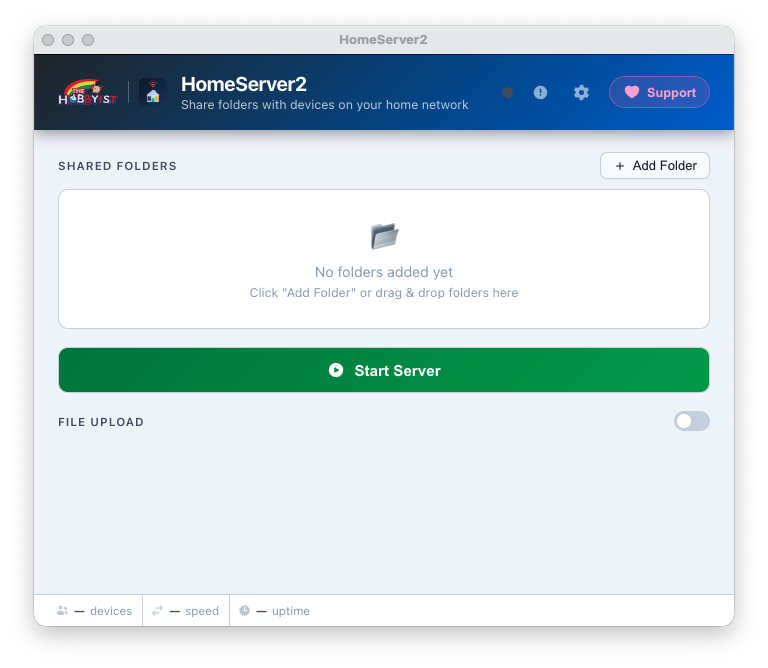
HomeServer2 — Launch Screen
0 config
No setup required
500 MB
Max upload size
8
Built-in themes
LAN only
100% private, no cloud

Everything you need.
Nothing you don't.

HomeServer2 packs a full-featured local file server into a lightweight Electron app that stays out of your way.

📁

Multi-folder sharing

Add as many folders as you like — Movies, Music, Documents, whatever. Each folder gets its own browsable route on the network page.

▶️

One-click server toggle

Hit Start Server and you're live. Hit it again to stop. The button turns into a Stop button while running — no ambiguity.

🔗

Auto-detected network URLs

The app reads every active network interface (Wi-Fi, Ethernet, VMs) and shows you a clickable URL for each — copy with one click and paste on any device.

🖱️

Drag & drop folders

Drag any folder from Windows Explorer straight onto the app window. It's detected as a folder automatically — no dialog needed.

⬆️

PIN-protected file upload

Let other devices send files back to your PC. Upload is secured by a 7-digit PIN with rate-limiting and session tokens — brute-force is blocked after 3 wrong attempts.

Security built-in
📊

Live stats bar

A real-time bottom bar shows connected device count (unique IPs in the last 60 s), current network speed, and server uptime — all toggleable in Settings.

🎨

8 preset themes + full customisation

Choose from Ocean Night, Dracula, Nord, Catppuccin, One Dark, Solarized, GitHub Light, or Ayu Light. Override header colour, text colour, and font size independently.

🖼️

Custom wallpaper

Set any image as the app background with an adjustable opacity slider (5 – 50 %) so it never overwhelms the UI.

🔔

System tray integration

Closing the window hides the app to the system tray — the server keeps running. The tray icon shows server status and lets you restore the window or quit cleanly.

🔄

Auto port fallback

If port 3000 is taken, HomeServer2 automatically tries 3001, 3002 … up to 3019. The URL shown always reflects the port actually in use — you never have to change anything.

⚙️

Configurable port

Prefer a specific port? Change it in Settings (any value 1024 – 65535). Applied the next time you start the server.

🌐

Clean browser interface

Devices on the network get a polished folder-listing page — click a folder to browse, click a file to download. Works on any browser, any OS, no app needed on the client.
Up and running in 30 seconds.

No router config, no port-forwarding, no cloud account. Just your local network.

1

Install

Download and run the Windows installer. Start Menu & Desktop shortcuts are created automatically.

2

Add folders

Click Add Folder or drag folders from Explorer into the app window.

3

Start server

Click Start Server. The app shows your local URL and auto-detects your IP.

4

Open on any device

Paste the URL into any browser on the same Wi-Fi or LAN. Browse and download instantly.

See it in action.

A clean, focused UI that stays out of your way — and a polished browser page your network devices see.

App — on your PC
HomeServer2 launch screen
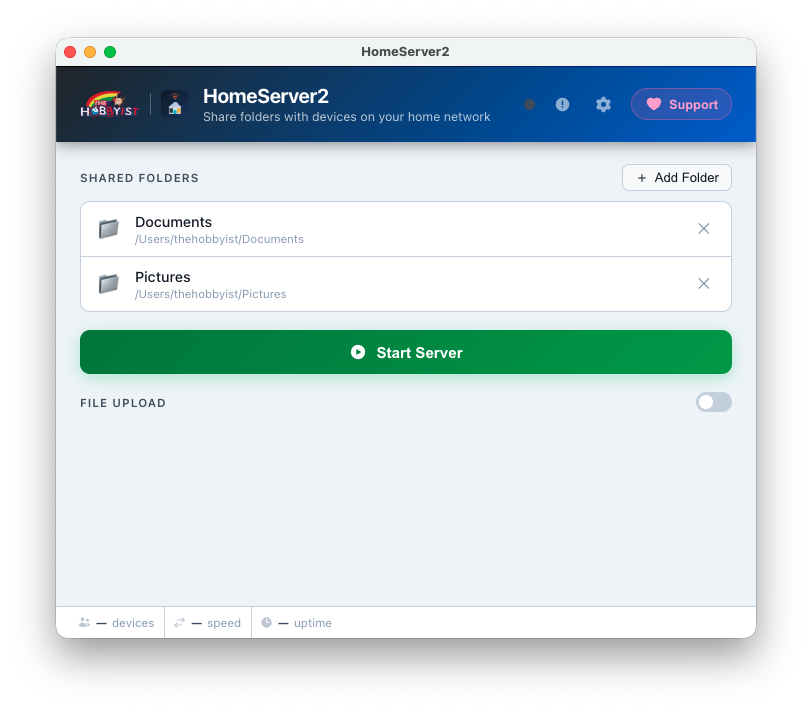
Launch Screen
Clean startup — ready to add folders instantly
Add folders to share
Add Folders
Select or drag any folder from Explorer to share it
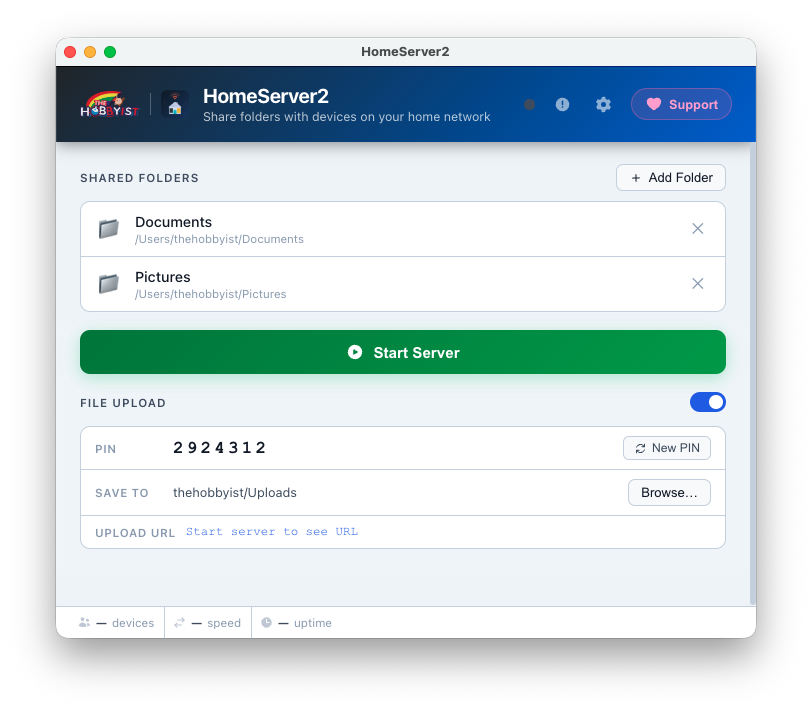
Set PIN and upload destination
PIN & Upload Setup
Set a 7-digit PIN and choose where uploads land on your PC
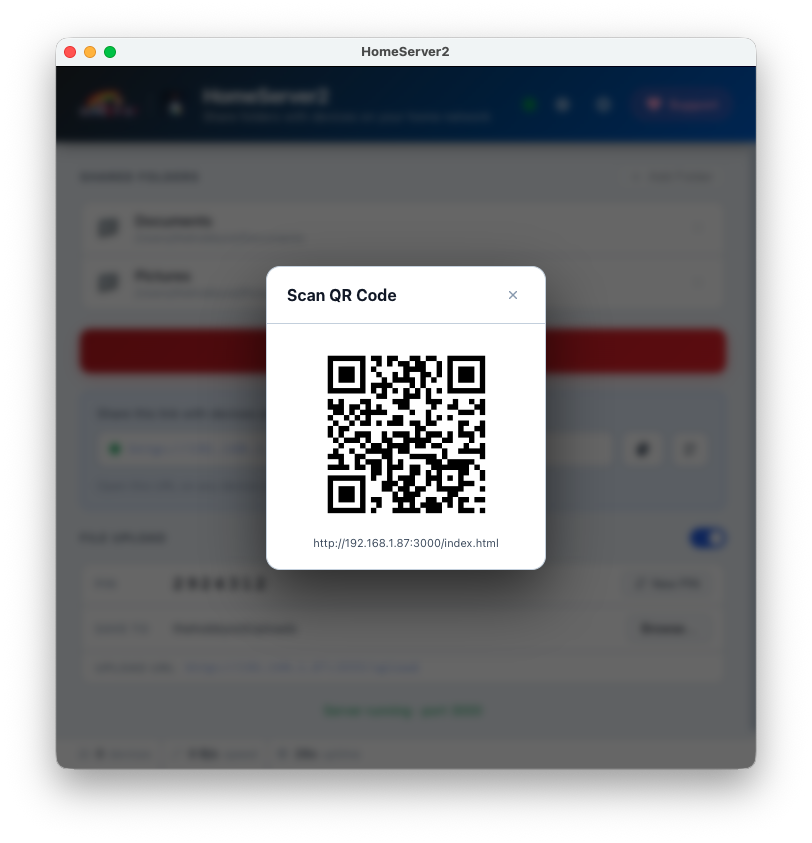
Start server and scan QR code
Start Server & QR Code
One click to start — scan the QR code to open on any device
On Your Devices — in the browser
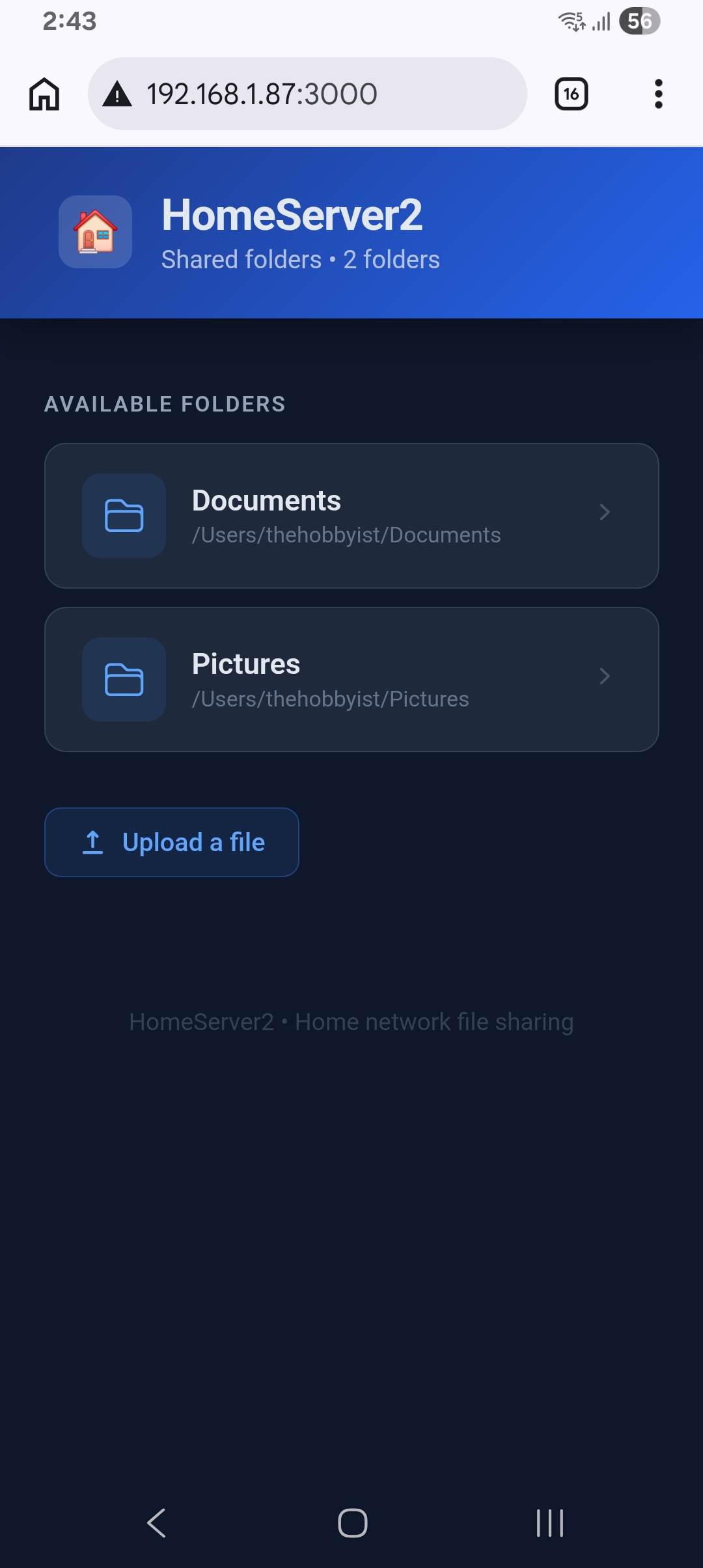
File listing on mobile browser
Browse Files
Clean file listing on any phone or tablet browser
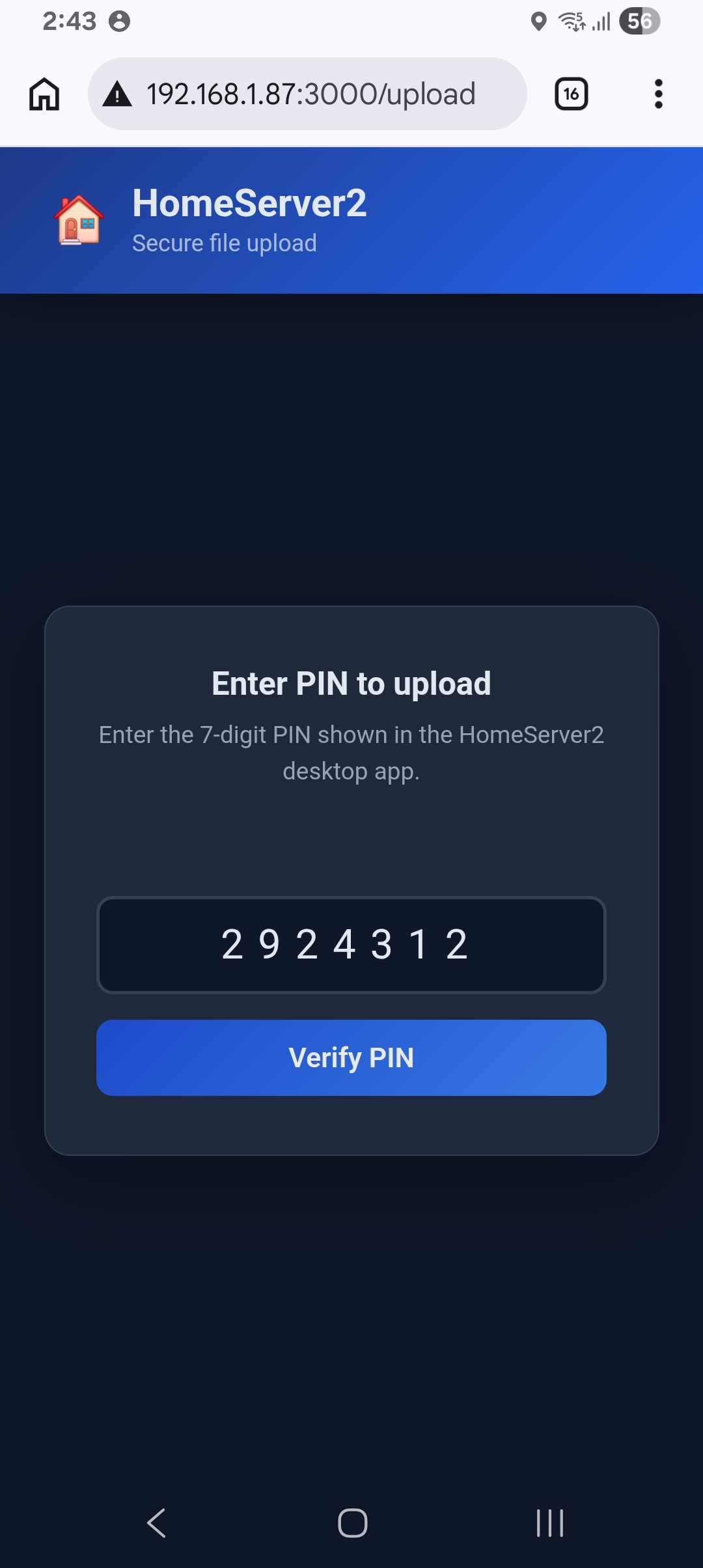
Enter PIN on device
PIN Entry
Secure upload access — devices enter the PIN to unlock
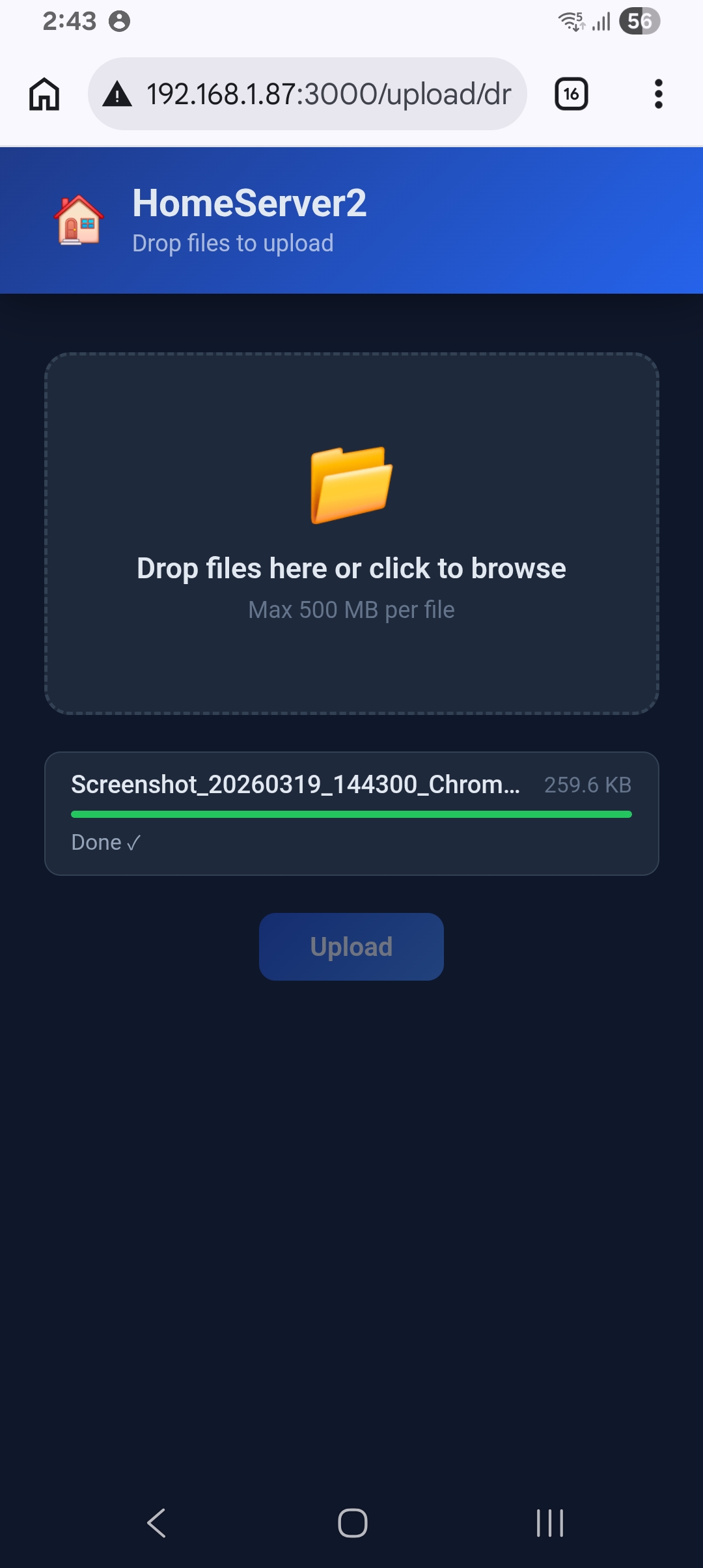
Upload files from device
File Upload
Send files back to your PC directly from any browser
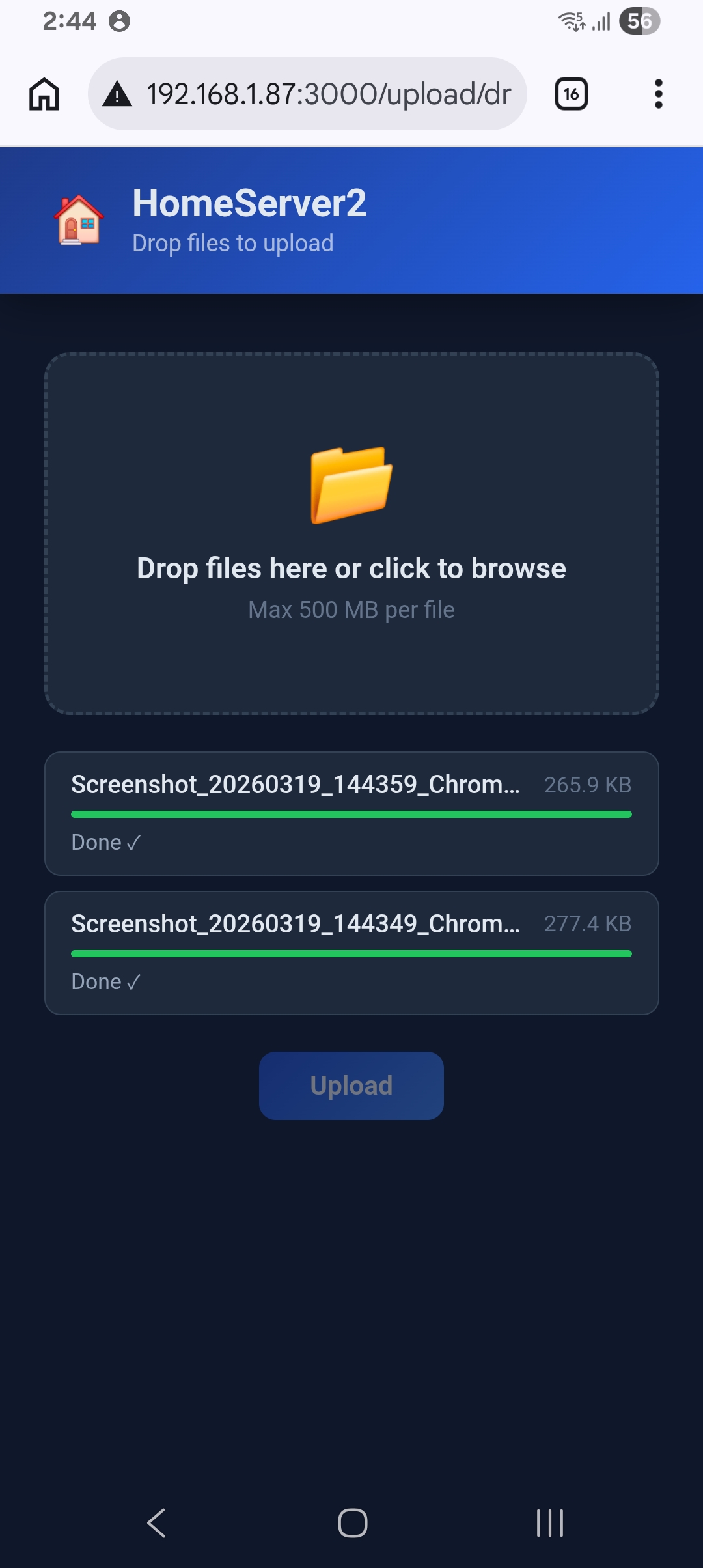
Multiple file uploads
Multiple Uploads
Upload several files at once — progress shown in real time

Get HomeServer2 — Free.

Available for Windows and macOS. Free to download and use. License Agreement applies.

🪟
Windows
Microsoft Store
Get it from Microsoft
Installs from the Microsoft Store · auto-updates
🍎
macOS
.dmg · Apple Silicon & Intel
Right-click → Open on first launch to bypass Gatekeeper

Support HomeServer2

HomeServer2 is free. If it saves you time, consider buying us a coffee ☕ — every contribution helps keep it actively developed.

✉️
Get Help
For any kind of help amit@thehobbyist.in
We reply within 1–2 days
💙
PayPal
Email amitsinghai.jain@gmail.com
🇮🇳
UPI — India

Scan with any UPI app to pay

UPI QR Code

Use responsibly.

HomeServer2 is a powerful tool. Please read the following before using it.

⚠️

No Warranty

HomeServer2 is provided "as is", without warranty of any kind, express or implied. The developer makes no guarantees regarding fitness for a particular purpose, reliability, or error-free operation.

🔓

Data Security

When you share a folder, all files inside it become accessible to every device on your network. Never share folders containing passwords, financial data, personal documents, or any sensitive information.

🛡️

No Liability

The developer is not responsible for any data loss, data theft, unauthorized access, privacy breaches, or damages of any kind arising from the use or misuse of this software.

🌐

LAN Use Only

HomeServer2 is designed for use on trusted local networks (your home Wi-Fi or LAN). Do not expose it to the public internet or untrusted networks without additional security measures.

👤

Your Responsibility

By using this software you accept full responsibility for what you choose to share, with whom, and under what circumstances. Exercise caution and share only what you intend to make available.

📋

License Agreement

HomeServer2 is freeware — free to use but not open source. Redistribution and modification are prohibited. By using this software you accept the full License Agreement.